
Project Overview
- Project Duration: 9 weeks
- My role: UX/UI Designer, WordPress Developer, and Project Manager responsible for integrating essential features, customizing user flows, and ensuring optimal functionality.
- Tools Used: WordPress, WooCommerce, WC Vendors Pro, Paid Memberships Pro, WP Guppy, WP Bakery Builder, Simple Auctions for WooCommerce, Adobe Photoshop and Adobe Ilustrator.


PROBLEM STATEMENT

DESIGN

CHALLENGES
PROBLEM STATEMENT
Challenges Identified:
-
- Creating a unique marketplace focused on exchanges and auctions rather than direct sales.
- Developing an intuitive registration and subscription process.
- Displaying vendor contact information exclusively for specific membership tiers (Premium and Business).
- Facilitating communication between users within the platform.
- Customizing dashboards and forms to meet user needs.
Goal: To deliver a user-friendly platform where individuals and businesses can easily trade products, participate in auctions, and connect with each other securely.
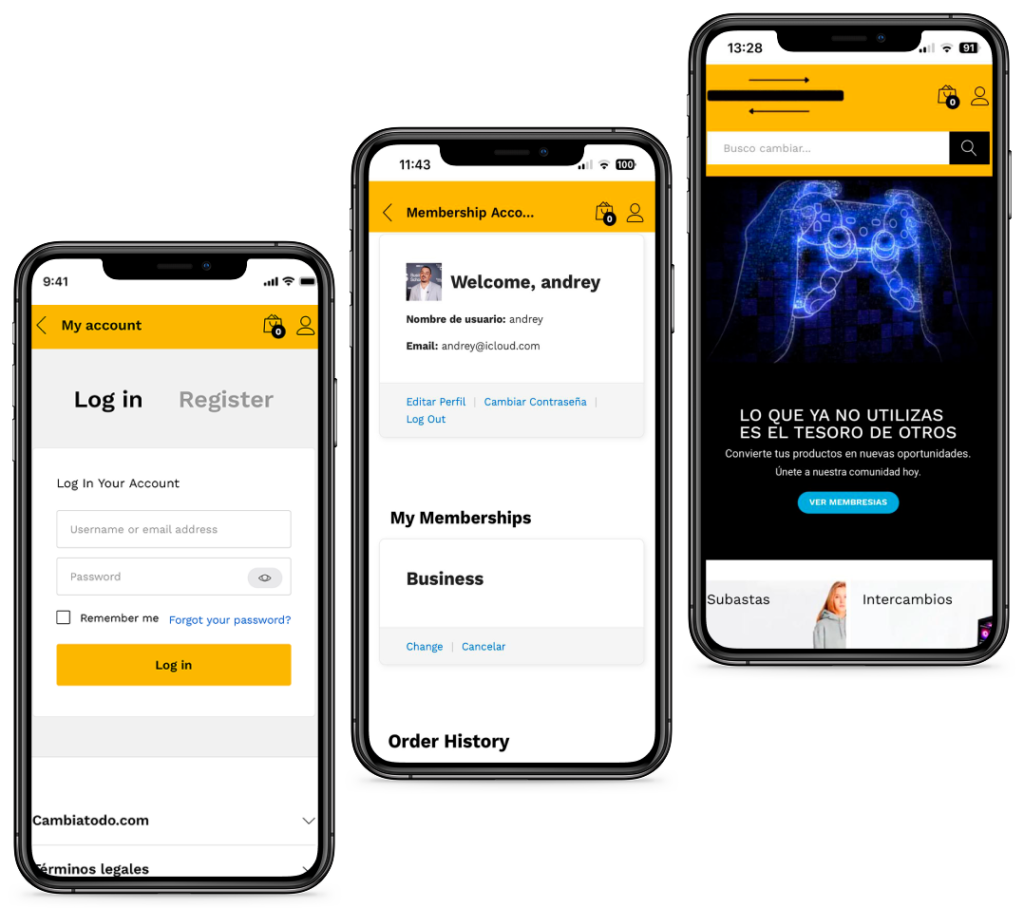
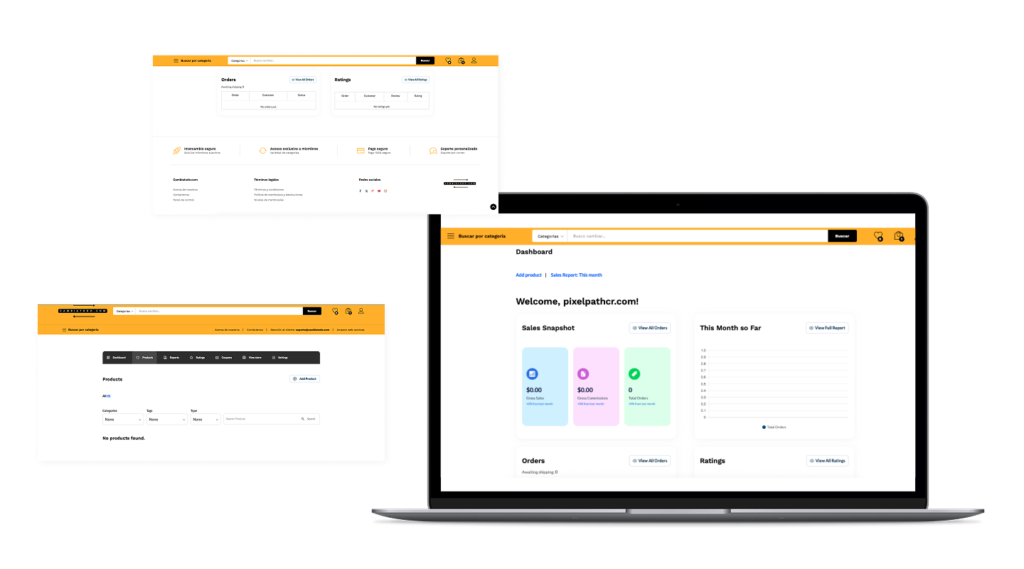
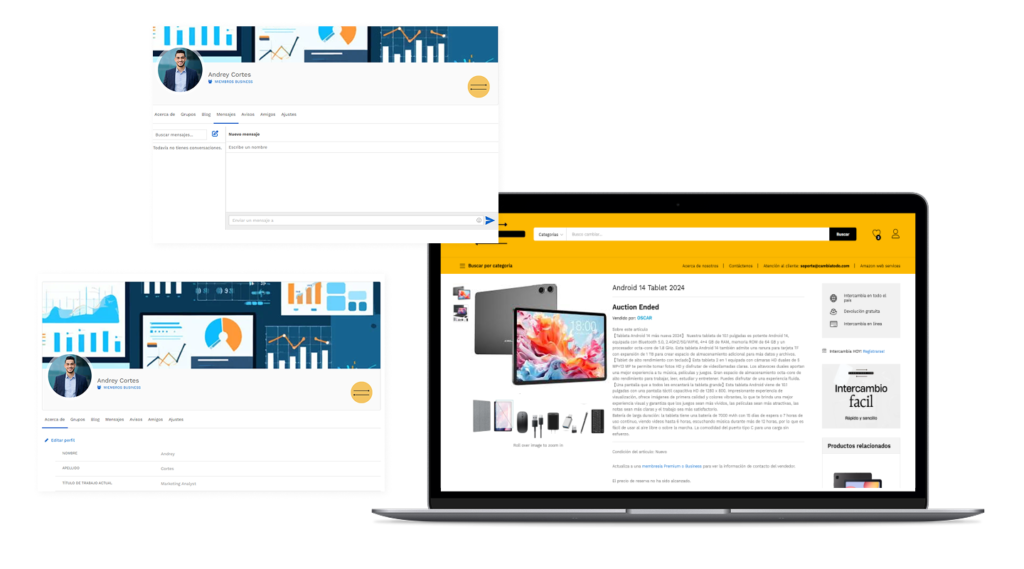
Responsive Design
DESIGN AND IMPLEMENTATION
Registration and Subscription Flow
Users begin the process by signing up through the WooCommerce “My Account” page, ensuring a smooth and familiar experience. They then select a membership plan, either Premium or Business, tailored to their needs. The payment is processed securely through Paid Memberships Pro.
During registration, we collect the seller’s contact details, such as email and phone, using custom User Fields integrated with Paid Memberships Pro. This information is stored and displayed exclusively to Premium and Business members.
After completing payment, users are redirected to the WC Vendors Dashboard, where they can start uploading products, participating in auctions, or managing their services. Premium and Business members can view seller contact information directly on product pages, enabling seamless and secure communication between users. This flow is designed to provide a streamlined experience while enhancing the value of the platform’s subscription tiers.

Vendor Contact Information
In the registration process, we collect the seller’s contact information (such as email and phone number) using User Fields from Paid Memberships Pro. These fields are seamlessly integrated into the membership form, ensuring that all necessary details are captured during the registration.
Once users subscribe to a Premium or Business membership, they gain access to this contact information. On the product page, Premium and Business members can view the seller’s email and phone details, allowing them to connect directly with the seller. This feature is designed to provide exclusive access to contact information, enhancing the value of the subscription tiers and fostering secure and direct communication within the platform.

Product Upload Form
The product upload form was meticulously designed to offer vendors an intuitive and efficient way to list their items. Vendors can upload products for either exchange or auction, with clear distinctions between the two options. The form includes fields for essential product details such as title, description, price (if applicable), and images, ensuring that listings are informative and visually appealing.
Additionally, the form allows vendors to specify the transaction type (e.g., exchange, auction, or both) and categorize their products appropriately. For auctions, vendors can set starting bids, reserve prices, and auction end dates directly within the form.
To streamline the process further, the form dynamically integrates with WC Vendors Pro and Simple Auctions for WooCommerce, ensuring that all submitted data is correctly managed and displayed on the platform. The design prioritizes user-friendliness while maintaining the flexibility needed to support multiple product types, enhancing the overall vendor experience.

Chat Functionality
To facilitate seamless communication between users, I integrated WP Guppy, a robust chat plugin, into the platform. This feature allows users to send direct messages to each other, fostering connections and making product negotiations or service inquiries more convenient.
The chat functionality is accessible directly from product pages, where a dedicated button enables users to start a conversation with the vendor. Messages are displayed in a clean, intuitive interface, ensuring ease of use across devices.
For added control, the chat feature is restricted to Premium and Business members, aligning with the platform’s subscription model. This exclusivity enhances the value of these memberships while maintaining privacy and security for vendors. The integration not only improves user engagement but also creates a more interactive and community-driven marketplace experience.

CHALENGES AND SOLUTIONS
Challenge 1: Complex User Registration and Role Assignment
- Description: Setting up a seamless registration process for users with two distinct membership levels: Premium and Business. Each membership required specific roles and permissions, including automatic role assignment and access to tailored features. Initially, users experienced issues where multiple roles were assigned, or redirection did not work as expected.
- Solution: Implemented customized workflows using Paid Memberships Pro and WC Vendors to ensure that roles were correctly assigned after subscription payment. I refined the process to redirect users to the correct dashboard, ensuring they received a smooth and role-specific experience. Additionally, I integrated ProfileGrid to enhance profile management while troubleshooting conflicts between plugins.
Challenge 2: Communication Between Users
- Description: Creating a messaging system for users to communicate directly with sellers while ensuring privacy and security compliance.
- Solution: Implemented WP Guppy for chat functionality, integrating it seamlessly into WooCommerce product pages. Restricted access to the chat feature for Premium and Business members, aligning with membership benefits.
Challenge 3: Plugin Compatibility and Budget Constraints
- Description: Ensuring compatibility between multiple plugins (WC Vendors, WooCommerce Simple Auctions, Paid Memberships Pro) while operating within a strict budget.
- Solution: Thoroughly tested plugins to identify conflicts and used custom coding where necessary to bridge functionality gaps. Focused on maximizing the utility of existing tools to avoid additional expenses.